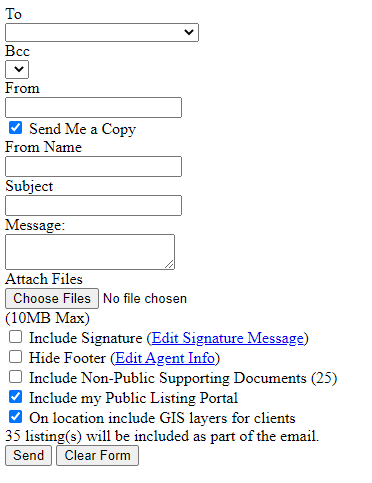
If your email screen loads like the screenshot below, chances are Chrome has installed the Mobile App version of Xposure on your desktop browser. To fix you will just need to uninstall the mobile app on Chrome, following the directions below.
First, click on the Lock icon next to the address bar in Chrome, and then click the Settings menu for the website:

This will open a screen similar to below.
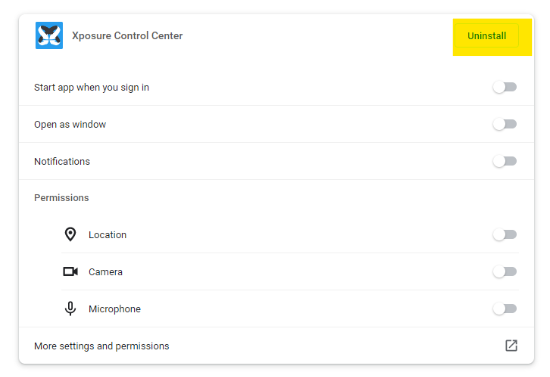
Click Uninstall in the top right hand corner, and have it clear all Site Data and Cache when it prompts you. You may need to clear your Chrome browser cache too after the app version is uninstalled.
Log back in afterwards, and when you go to email, the screen should load properly.