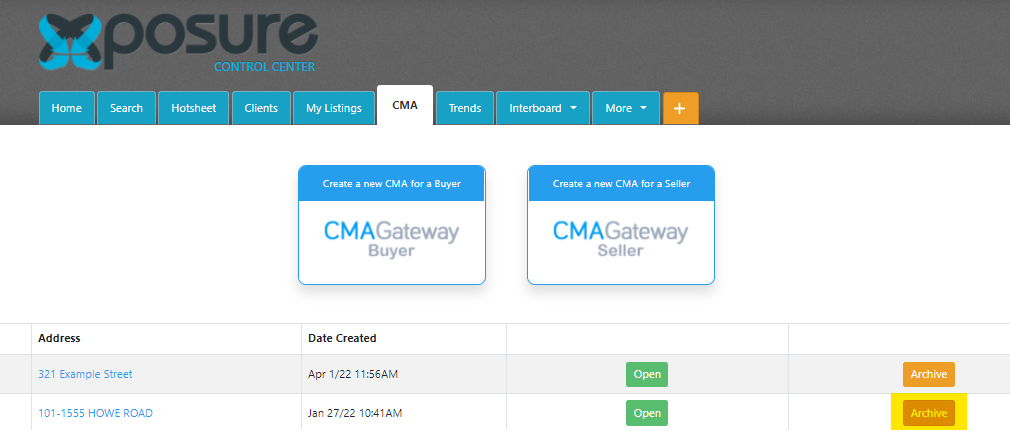
Once you have presented a CMA and you are ready to completed the presentation, you can archive the presentation.
Go to the CMA tab and then look for the Archive button in the right hand column. Click the appropriate Archive button for the subject property. The presentation will then be moved into the Archive.
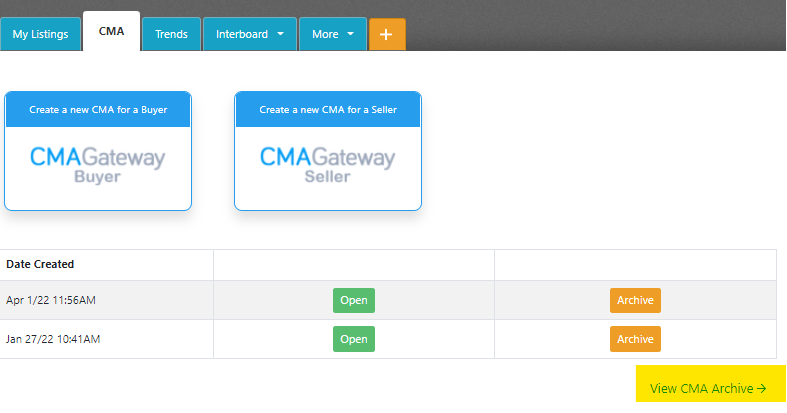
If you need to review or recall an Archived CMA, click "View CMA Archive" in the bottom right hand corner of the screen, as highlighted below.
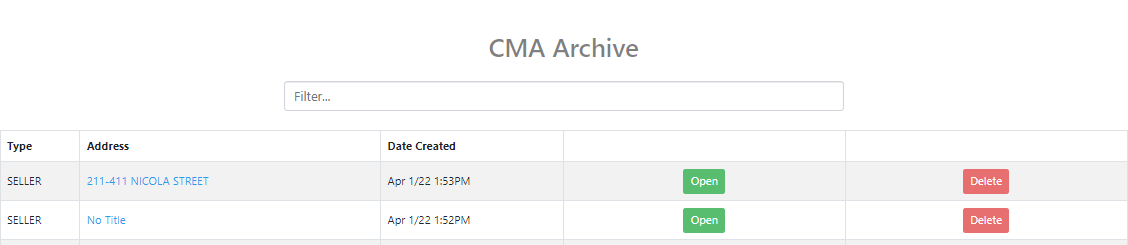
Once you are in the Archive, you can recall the CMA by clicking the Open button. It will automatically be recalled back to the main CMA tab.
If you are looking to delete the CMA, click the Delete button. *If you delete the CMA it is not recoverable by you, your board or RealtyServer.