There are 2 ways to add a customized CMA as your printed template.
- Custom the template yourself, and upload the template
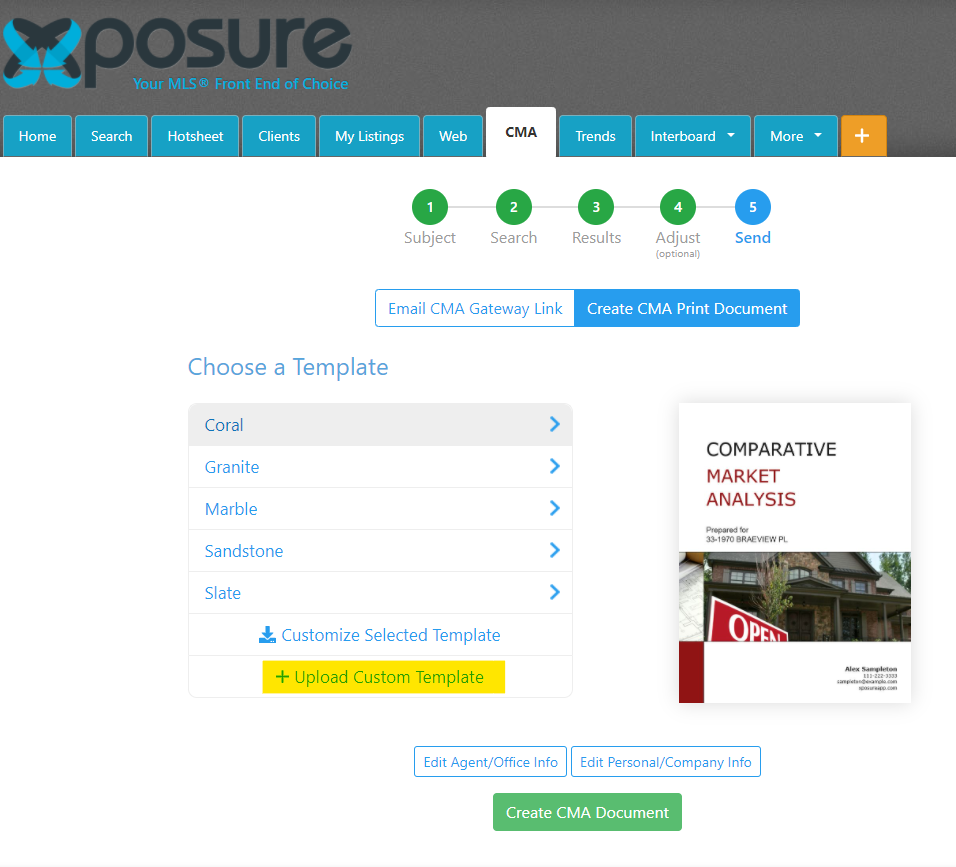
5 sample templates are provided for you to download and customize. They are located under step #5 of the CMA wizard. -
Work with a designer and upload the template they create for you.
Contact RealtyServer to be referred to a designer by emailing sales@realtyserver.com
Note - all templates need to be in a docx file format, no matter how they are created.
Uploading the template
Now that you have your custom template created, it can be uploaded in the final step of the CMA wizard.
Once you are in a CMA, proceed to step #5, Send. There you will be able to upload the template as highlighted below.
A window will open for you to select the file from your device. Click the open button in the window to finalize the upload.
Using the template
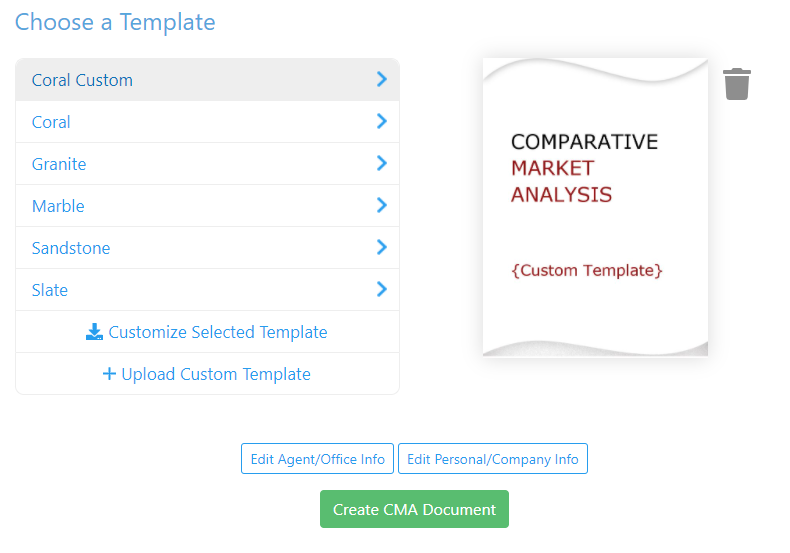
Once you have uploaded the template, a new template will be shown in the list to easily be re-used in the future.
Select the template and then click the green "Create CMA Document" button to use that template for the CMA. You will be prompted to generate the document in either a PDF or Word document. The document will generate once you have made your selection.