Agents can update their credit card details quickly in the User Pay area.
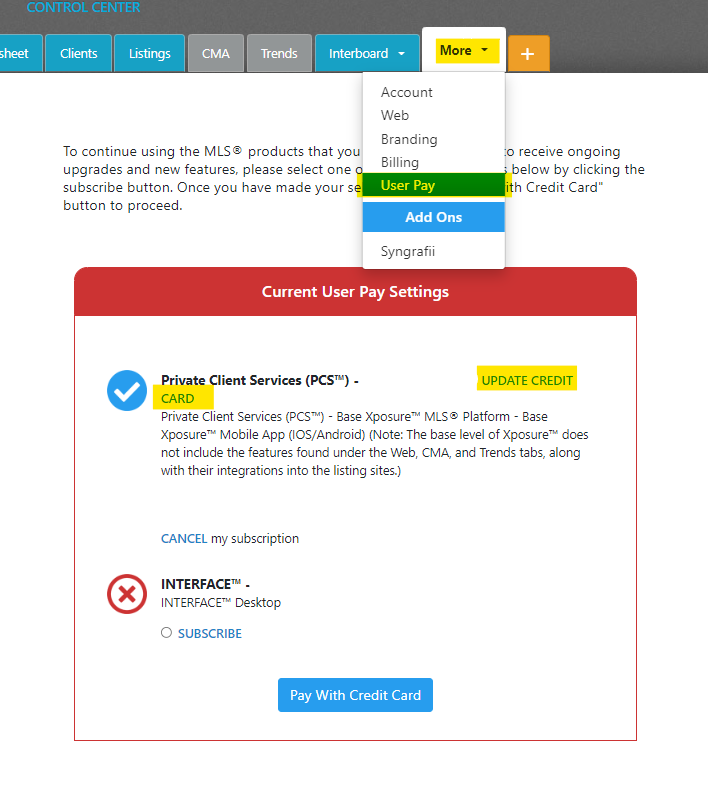
First, log into Xposure™. Click on the More tab, and then User Pay.
Once you are in the User Pay area, you will see "Update Credit Card" next to your subscription choice. An example is below.
Click "Update Credit Card" and a pop up screen will open where you can complete your card details. Click Save to complete the changes.