Adding a custom link to your listings gives you many options to include more information on the listing, or the neighborhood.
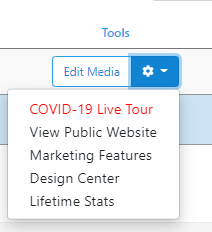
Go to the My Listings tab, and click the drop-down menu to the right of "Edit Media" and then down to "Marketing Features". A new window will open.
Click Custom Link along the top bar and you will be scrolled down the page to the area below. The URL for the website goes in the URL field, and the name of how the public will see the link goes into Title, with a 15-character limit. Ensure to check to include the custom link. You can optionally add two custom links.
Now click save along the bottom of the page. A link(s) will now be added to the listings website.