In some boards, agents will have the option to allow their clients to manage their own search criteria. Below are the steps from the clients point of view on how to update their criteria as well as a PDF that can be downloaded and sent to your client.
Getting PCS Clients Started.pdf
Log into your Private Client Services™ (PCS™) account. If you are away from your computer you can also logon by going to www.privateclientservices.com and entering your credentials.
Once you are logged in, click the "Criteria" tab, which is highlighted below.
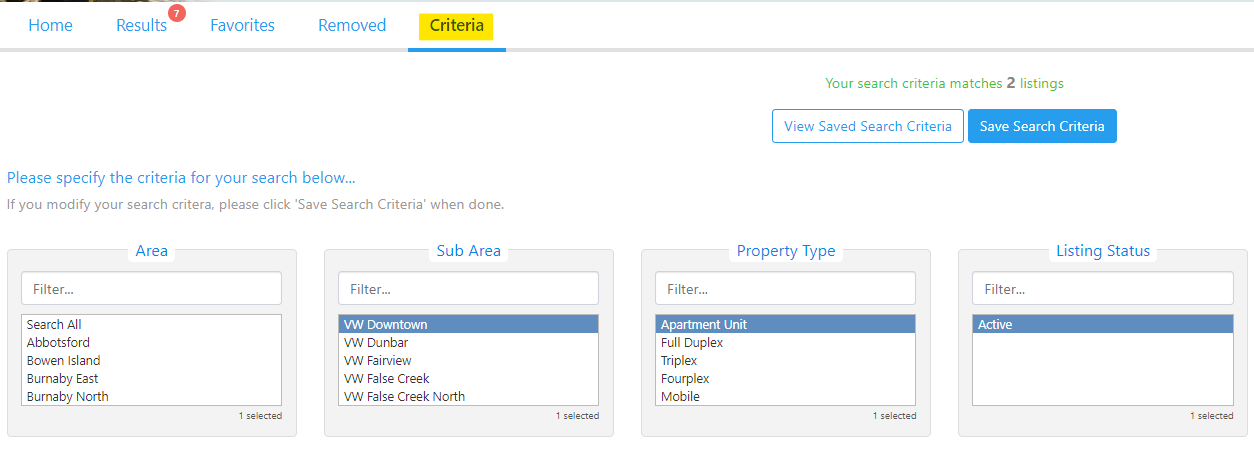
You will then see a list of the different criteria options available to you. As you make changes to your criteria, the number at the top of the screen will update to show the results if you save your changes.

Once you have made the changes you would like, click the "Save Search Criteria" button.

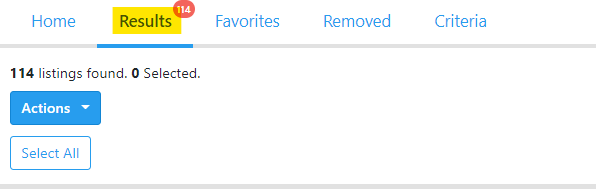
You will be redirected to the "Results" tab and the new listings will be populated for you to review.
** Tip
Remind clients to remove listings they are not interested in! By having a shorter amount of listings in the Results tab, the speed of loading the page will continue to be fast!
If you have any questions about your account or the PCS™ website, or would like to view a property, please contact your REALTOR®.