Xposure™ Meet is our new built-in Videoconferencing service to connect you with your clients online! Simply open your clients PCS profile and email the client a link to connect with you for a one-on-one meeting in seconds! Each of your clients has a unique Meeting Link they can use to join a Videoconference Meeting with you.
To start, click on the Clients tab in Xposure. Find the client you are working with in the list of clients. Click on the clients name, as highlighted below.
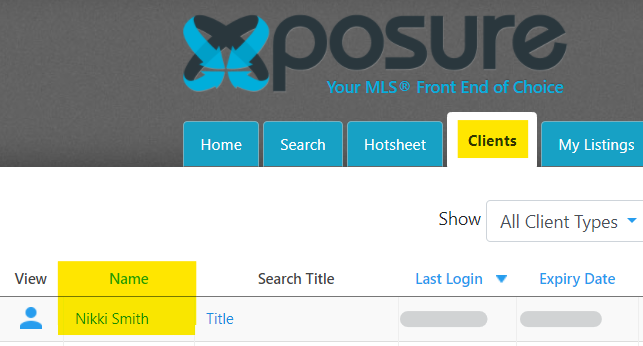
Once you have selected the client, You will see options similar to the screenshot below. Click on the Meet tab as highlighted below.
You can copy the Meeting Link to email to your client, or click "Send by Email" to send the Meeting Link to your client by the email address associated to the clients profile.
When you are ready to start the Meeting, click "Start the Meeting" below to launch the Meeting as the Host.

Your client will be able to join the meeting after you have started it as the Host from Xposure™. They only need to click the link that is in the email you have sent. Once your client has joined you will also have the option to Share your Screen with them, or vice versa.
Xposure™ Meet is only for one-on-one meetings with your client, and does not support additional participants.