If you have a team member that you would like to have shown on your printed feature sheets, they can be added in My Account.
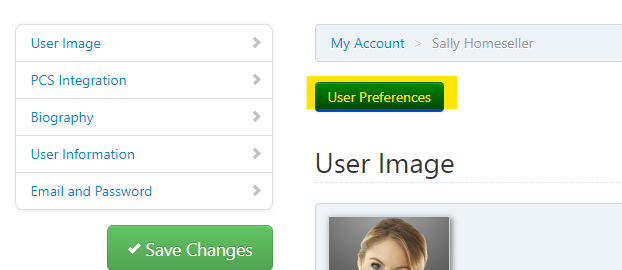
First, go to the More tab, and then select My Account. Select the User Preferences to open a new window.
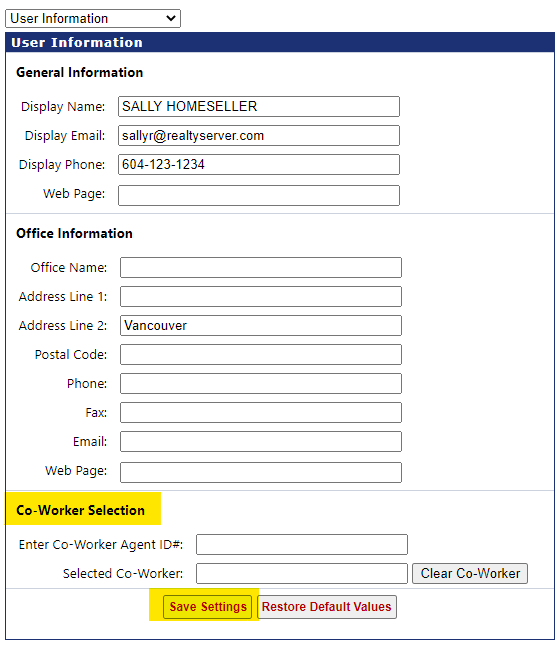
Under User Information, the Co-Worker information at the bottom can be filled in by entering your team members board supplied ID. Once you have entered the ID, the member will populate. Click Save Settings at the bottom before leaving the page.