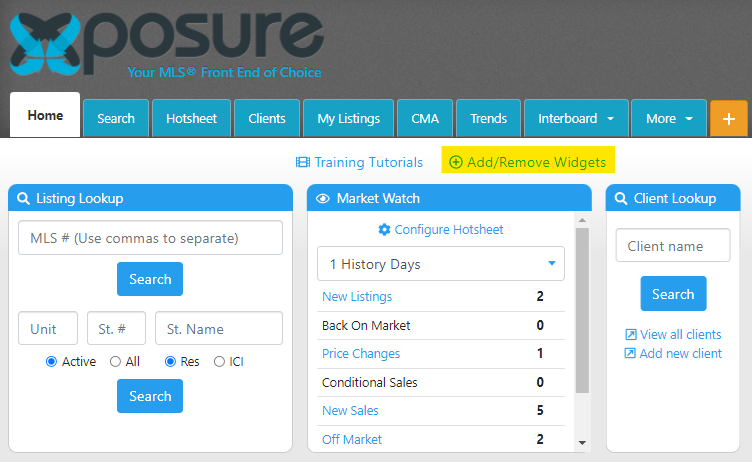
The widgets on your home tab can not only be hidden , but you can also re-order the widgets to the order that makes sense to you!
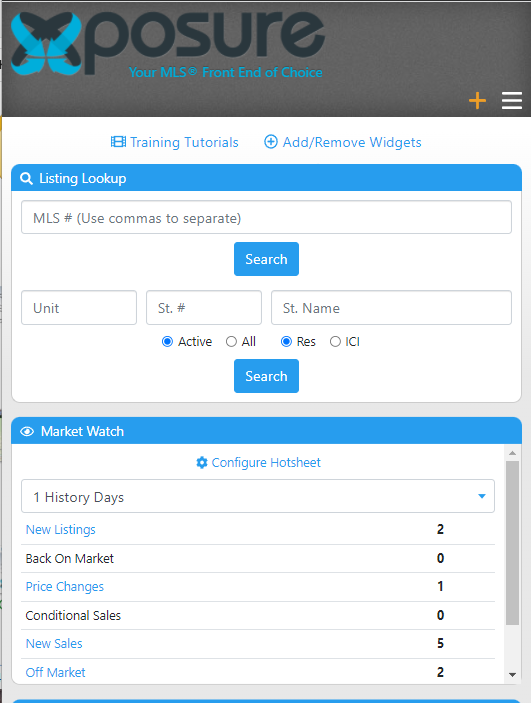
Xposure is a smart app, which means the layout you have on your laptop or desktop will adjust for your cell or tablet. When you are customizing the widgets, the suggested widgets to have in the top left hand corner is the Listing Lookup & Market Watch. These widgets will then be at the top of your device and are the most common utilized when you are on the go. Other suggestions is the Client Lookup and the Saved Searches.
To add or remove the widgets, click the Add/Remove link as highlighted below.
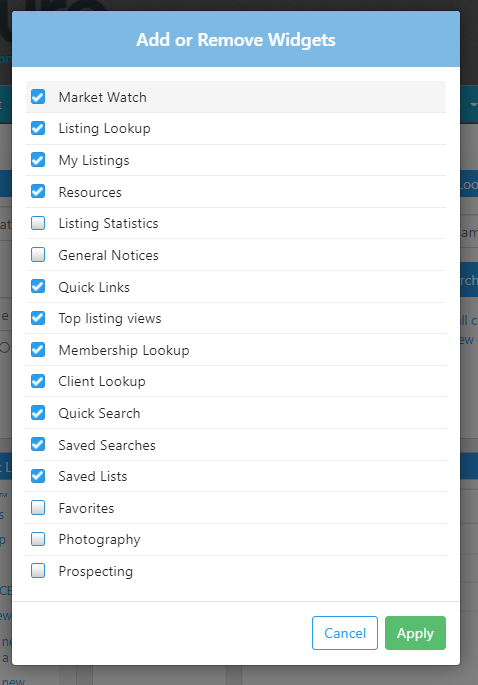
A pop up will open, like below. The widgets with check boxes on the left hand side are the widgets that will appear on the home tab. Once you have made the changes, click the Apply button on the bottom right corner of the pop up.
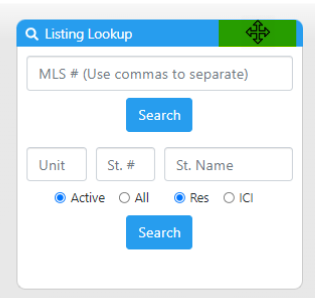
To re-arrange your widgets, hover over the top blue bar of the widget. Your cursor will change to a 4 point arrow, as highlighted below. You can now click, drag and the drop the widget anywhere on the screen. The other widgets will then repopulate and adjust for the new widget.
If you are on a laptop or desktop and would like to see how the widgets look on a smaller screen, you can make your screen smaller and watch the widgets auto adjust. Below is an example of the same widget layout, but with the screen adjusted to a vertical alignment, similar to how the widgets will look on a cell phone.